Microchip Technology
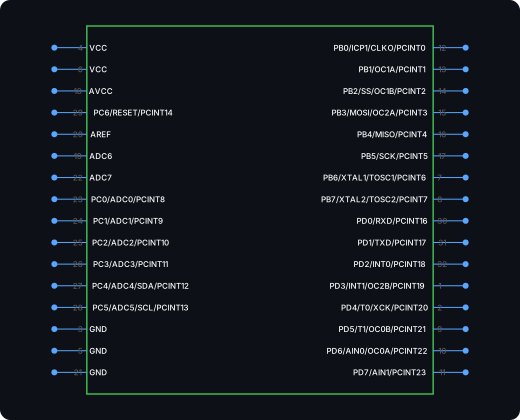
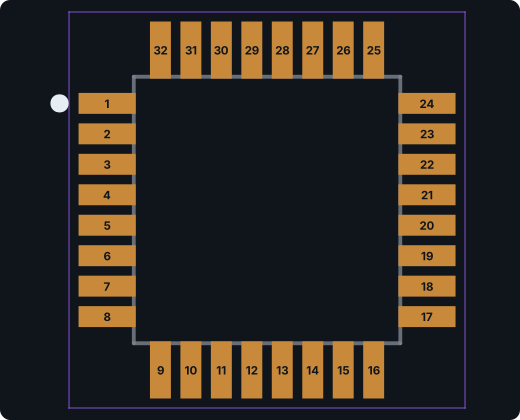
ATmega328P-AU
8-bit AVR microcontroller, the chip on the Arduino Uno, in a 32-lead TQFP.
TQFP-32, 7 × 7 mm, 0.8 mm pitch · 32 pins · 32 pads
Pin map and all exports →EAGLE’s library editor hasn’t gotten easier since Autodesk ended new development — but plenty of boards still live there. PartSpark generates the schematic symbol and footprint from the part’s datasheet with AI and hands you an EAGLE-ready bundle, so maintaining a legacy design doesn’t mean drawing parts by hand.
Live generator
Type the part number or attach the datasheet. Download the EAGLE bundle, or grab KiCad files too if you’re mid-migration.
Parts database
Search the online catalog used by ProtoFlow. Look up a part number, LCSC code, or specifications. Searching does not use generation credits.
Source: PCB Parts · JLCPCB / LCSC. Keyword search covers indexed parts with at least 10 units in stock. Stock and prices may change; confirm on the supplier page. Selecting a result fills the generator and does not start a generation.
How to use it
[01]
Generate
Type the manufacturer part number, or attach the datasheet PDF (or a photo of the pinout and package pages) for unusual parts. A generation takes about a minute.
[02]
Check
Compare the pin map and pad table with the datasheet.
[03]
Use in EAGLE
Download the .lbr. It contains the device with its symbol and package already connected. Open it in the library editor or add it to your libraries.
Doing it by hand, or want to know what to check? Step-by-step guides: how to create a kicad symbol from a datasheet; how to turn a package drawing into a kicad footprint; how to check a generated symbol and footprint before fabrication.
Limits to know
The guide to checking a generated symbol and footprint before fabrication shows real cases where these limits mattered.
Example output
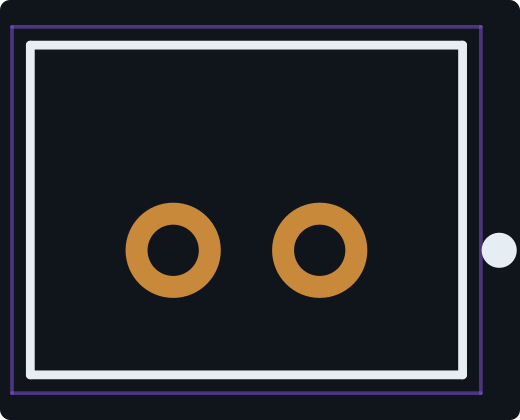
These were generated from the part number alone, then every pin and pad was checked against the manufacturer datasheet. Download the files and open them in KiCad yourself.
Microchip Technology
8-bit AVR microcontroller, the chip on the Arduino Uno, in a 32-lead TQFP.
TQFP-32, 7 × 7 mm, 0.8 mm pitch · 32 pins · 32 pads
Pin map and all exports →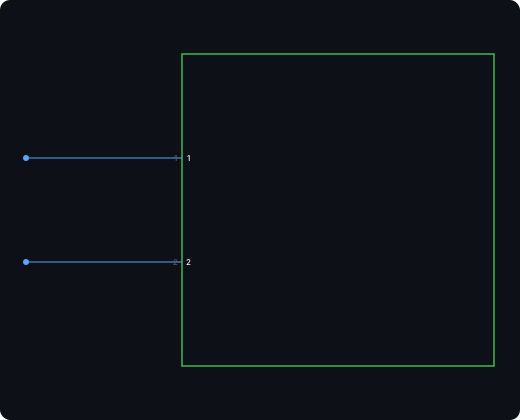
JST
2-pin vertical through-hole header from JST’s 2.0 mm PH series, the common battery and sensor connector.
Through-hole, 1 × 2, 2.0 mm pitch, vertical · 2 pins · 2 pads
Pin map and all exports →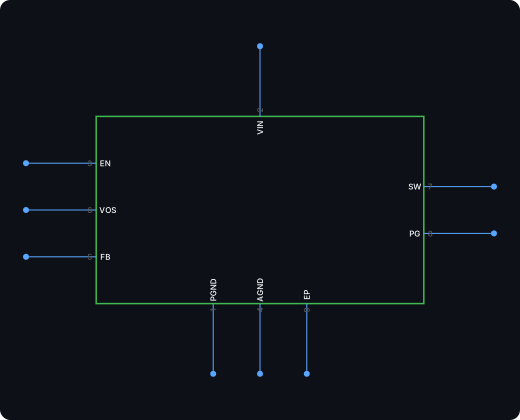
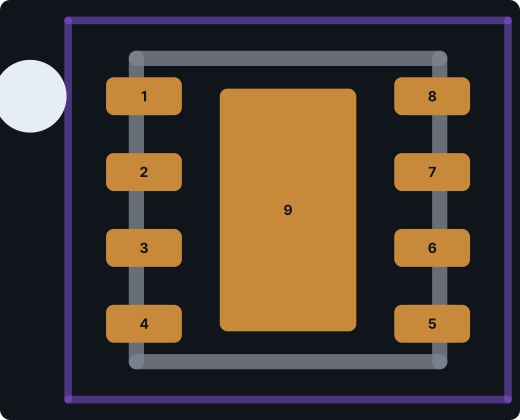
Texas Instruments
Texas Instruments 3 V to 17 V, 1 A synchronous step-down converter in a 2 × 2 mm WSON-8.
WSON-8, 2 × 2 mm, 0.5 mm pitch, exposed pad · 9 pins · 9 pads
Pin map and all exports →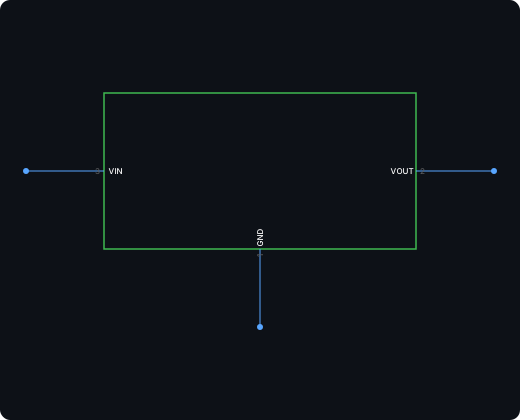
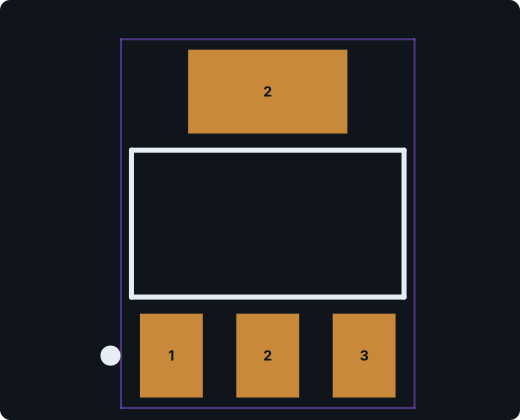
Advanced Monolithic Systems
1 A fixed 3.3 V low-dropout regulator in SOT-223.
SOT-223-3 with tab · 3 pins · 4 pads
Pin map and all exports →FAQ
Need a different tool? AI KiCad Part Generator · Altium Designer Part Generator · Cadence Allegro PCB Footprint Generator · Datasheet to Schematic Symbol Converter · AI Schematic Symbol Generator · AI PCB Footprint Generator · KiCad Symbol Generator · KiCad Footprint Generator