The checklist
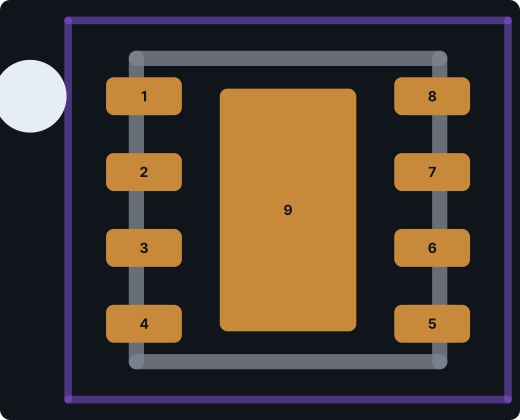
- Pin count and numbering match the datasheet pin table, including the exposed pad.
- Pin 1 is where the top-view drawing puts it, and numbering runs in the right direction.
- Pitch, pad size, and row spacing match the recommended land pattern, or a standard you chose on purpose when there isn’t one.
- Exposed pads have a number, connect to the right net, and have sensible paste coverage.
- Every hole is the right kind: plated or non-plated, round or slotted, with the size your fab can drill.
- Electrical types are set so ERC catches real mistakes (open drain, power, outputs).
- The symbol’s Footprint field resolves to a footprint in your library table.
- The Datasheet link still opens.
- Print the footprint 1:1 and set the real part on it, if you have one.
Real case: a USB-C receptacle that would not have seated
We generated the GCT USB4105-GF-A, a 16-pin USB-C receptacle, and compared it with KiCad’s official footprint for the same part. The twelve contact lands and the four shell stake positions were right. Two things were wrong. The two 0.65 mm non-plated holes for the plastic locating pegs were missing, so the connector would not sit flat. And the shell stakes had round 0.6 mm drills where the part needs 0.6 × 1.7 mm and 0.6 × 1.4 mm slots.
We asked for both fixes in the refine box and nothing changed. The cause is a real limitation: PartSpark’s part format can’t yet describe slotted or non-plated holes. Until it can, connectors like this need those holes added by hand, which is why we didn’t publish it as an example. Check every hole on a connector footprint.
Real case: a part the generator refused to build
Twice, generating the WCH CH340C (a common USB-serial chip) from its part number stopped with “incomplete footprint geometry.” The generator wouldn’t guess package dimensions it couldn’t find. That is the behavior you want. A footprint built from a guessed drawing looks perfect and solders nothing. When this happens, attach the datasheet PDF or the package drawing and try again.
Real case: paste on a thermal pad
The TPS62160DSG footprint matched TI’s land pattern exactly, but its 0.9 × 1.6 mm thermal pad had a full-size paste opening. TI’s stencil example prints about 87% coverage on that pad. Too much paste under a small QFN/WSON can lift the part and starve the outer joints. Shrink or split the paste aperture to match the manufacturer’s stencil guidance.
Real case: drill size at the edge of the range
For the JST B2B-PH-K-S header, the generator used 0.7 mm holes. JST’s drawing specifies Ø0.7 +0.1/−0 mm and suggests a larger hole for glass-fiber boards. KiCad’s footprint uses 0.75 mm. 0.7 mm is in range, but it is the minimum. Widen it if your fab’s plating or your process needs margin.
Real case: library links that don’t resolve
Two small things break otherwise good parts. PartSpark symbols point at the footprint library nickname ProtoFlow.pretty, so if you register the footprint folder under another name, KiCad can’t find the footprint until you match them. And one generated Datasheet link had gone offline by the time we published the example, so we replaced it with the manufacturer’s copy. Click the link before you trust it.
What the generator did right
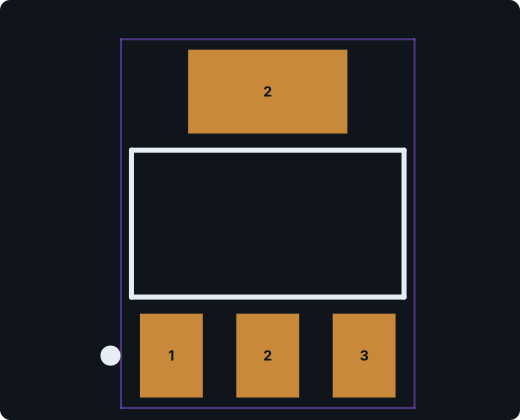
For balance: the ATmega328P-AU pin map matched all 32 pins of Microchip’s TQFP top view, the AMS1117-3.3 correctly put the tab on VOUT as pin 2, and the TPS62160DSG copper matched TI’s land pattern to the hundredth of a millimeter. The point of the checklist isn’t that generated parts are usually wrong. It’s that the five minutes of review are what make them trustworthy.