Microchip Technology
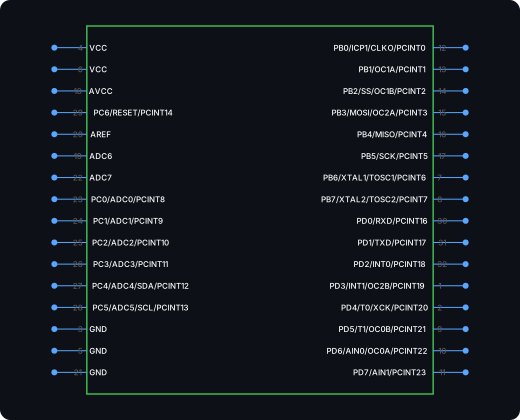
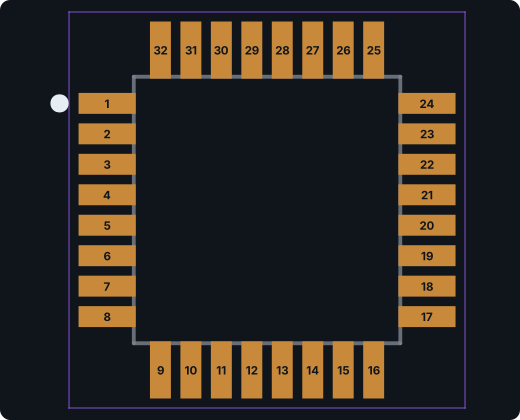
ATmega328P-AU
8-bit AVR microcontroller, the chip on the Arduino Uno, in a 32-lead TQFP.
TQFP-32, 7 × 7 mm, 0.8 mm pitch · 32 pins · 32 pads
Pin map and all exports →Built for engineers
Most tools guess your footprint. PartSpark reads the real datasheet and builds the symbol and footprint in about a minute, with every pin laid out so you can check it. 3D models are available on paid plans.
 Pin mappingFootprint accuracy3D model matchAI Generate / Verify / Export
Live generator
Type a part number, paste a datasheet link, or drop in the PDF. PartSpark returns the symbol, footprint, and 3D model — ready for your EDA tool.
Parts database
Search the online catalog used by ProtoFlow. Look up a part number, LCSC code, or specifications. Searching does not use generation credits.
Source: PCB Parts · JLCPCB / LCSC. Keyword search covers indexed parts with at least 10 units in stock. Stock and prices may change; confirm on the supplier page. Selecting a result fills the generator and does not start a generation.
Built for speed
You’re iterating on a schematic against a deadline. A part that takes an hour to find kills your momentum. We build around your pace, not a component library’s.
<1
Minute to generate
0
Setup required
[01]
No more digging through vendor PDFs. Most parts come back with a PCB footprint and symbol in about a minute.
[02]
Drop in a datasheet and get pin mapping back automatically.
[03]
Tell the AI what’s wrong in plain English and it revises the same part.
[04]
Download KiCad and EAGLE libraries, plus Altium and Allegro import bundles.
Verified quality
Every part shows its pin map and pad table next to the datasheet it came from. You catch pin mismatches here, not on your bench.
 Footprint / Pin map
The mismatches that fail boards after they’re built. Caught before you route.
Each part comes with its full pin map and the generator’s notes on anything it had to assume.
Datasheet references travel with every export, so your audit trail is done before you ask.
Example output
These were generated from the part number alone, then every pin and pad was checked against the manufacturer datasheet. Download the files and open them in KiCad yourself.
Microchip Technology
8-bit AVR microcontroller, the chip on the Arduino Uno, in a 32-lead TQFP.
TQFP-32, 7 × 7 mm, 0.8 mm pitch · 32 pins · 32 pads
Pin map and all exports →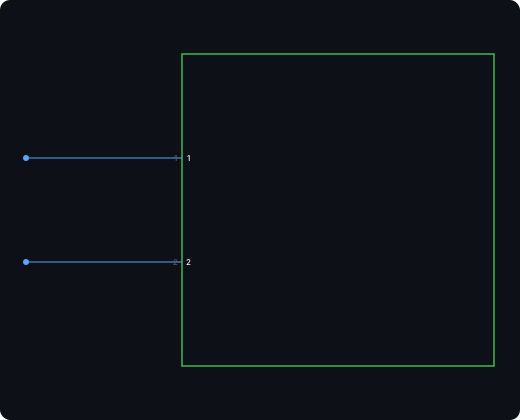

JST
2-pin vertical through-hole header from JST’s 2.0 mm PH series, the common battery and sensor connector.
Through-hole, 1 × 2, 2.0 mm pitch, vertical · 2 pins · 2 pads
Pin map and all exports →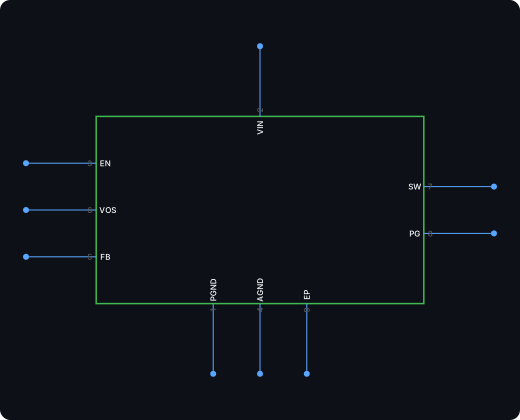
Texas Instruments
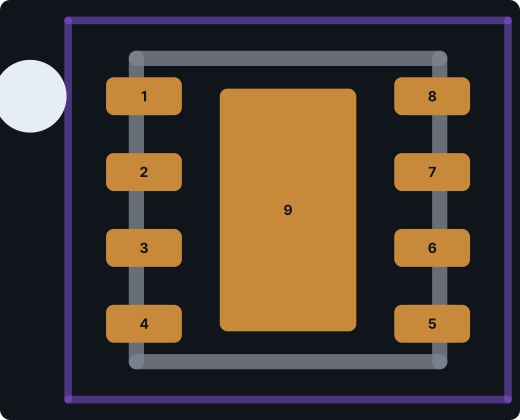
Texas Instruments 3 V to 17 V, 1 A synchronous step-down converter in a 2 × 2 mm WSON-8.
WSON-8, 2 × 2 mm, 0.5 mm pitch, exposed pad · 9 pins · 9 pads
Pin map and all exports →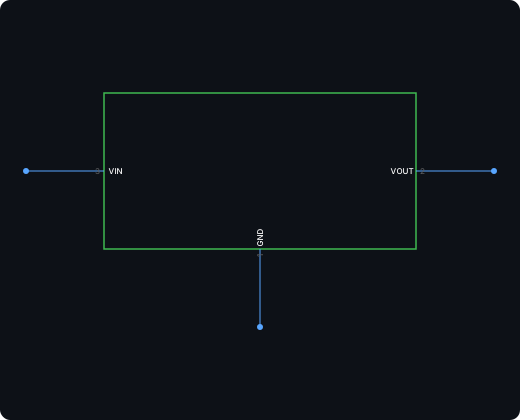
Advanced Monolithic Systems
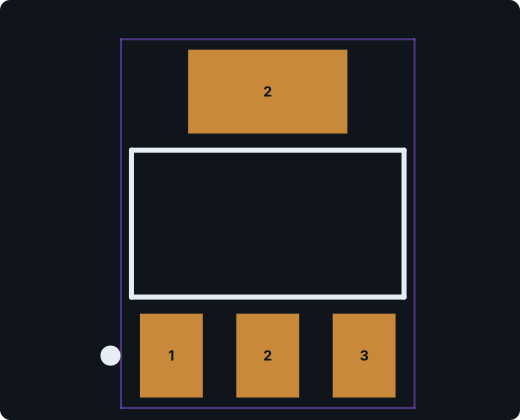
1 A fixed 3.3 V low-dropout regulator in SOT-223.
SOT-223-3 with tab · 3 pins · 4 pads
Pin map and all exports →Inside the pipeline
[01]
Search
Give us the part number. We pull the real datasheet, no guesswork.
[02]
Generate
Our AI builds the footprint and symbol from the datasheet automatically.
[03]
Verify
Check the pin map and pad table against the datasheet, and refine in plain English if anything is off.
Datasheet-based footprints and symbols for the parts your library is missing. No manual builds, and no subscription to start.
Works with your stack
Download native KiCad and EAGLE libraries, or Altium and Allegro bundles with instructions for importing and converting your generated parts.
Exports as .kicad_sym and .kicad_mod, ready to drop straight into your library.
Open generator →
A single .lbr file with the device, symbol, and package already linked.
Open generator →
An Altium .SchDoc and .PcbDoc bundle with library import instructions.
Open generator →
An EDIF symbol, KiCad footprint, and pad table with conversion instructions.
Open generator →
From datasheet to design file
FAQ
Generators
AI KiCad Part Generator · Altium Designer Part Generator · EAGLE Library Generator · Cadence Allegro PCB Footprint Generator · Datasheet to Schematic Symbol Converter · AI Schematic Symbol Generator · AI PCB Footprint Generator · KiCad Symbol Generator · KiCad Footprint Generator